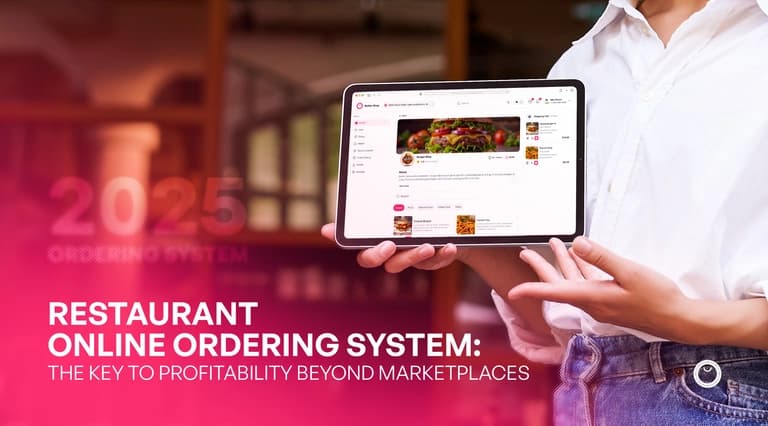

When one kitchen runs several brands, ghost kitchen software has three jobs: taking every brand's orders, getting them to the cooks, and delivering them. Most products start from one of the three, so choose by the job you need first. BetterShop covers ordering and delivery — a restaurant online ordering system on the web under your own name, and your own couriers — and handles the kitchen line one brand at a time. It does not take marketplace orders or run a POS or kitchen display.
Ghost kitchen management software does one of three jobs
Most pages that rank for ghost kitchen software start from one job. Oracle and Toast sell the POS and kitchen display, MarketMan and Crunchtime sell inventory, and Otter and Deliverect pull in marketplace orders. Whatever the label on it, ghost kitchen management software is one of those three jobs with the other two attached.
Order intake is where orders come from: delivery marketplaces, an order aggregator that merges them, or an ordering channel of your own. The kitchen line is how a ticket reaches the cooks and moves to ready. Delivery is who carries the bag: the marketplace's couriers or drivers you arrange.
One brand on one delivery app needs little of this. With several brands, test each job with all of them running at once.
Order intake: marketplaces find customers, your own channel brings them back
Marketplaces list each virtual brand as its own store, within limits. DoorDash allows no more than 10 virtual brands per store address, with exceptions for established commissary kitchens or with DoorDash's written approval.
Out of the box, each marketplace sends its orders to its own tablet. Order aggregators exist to fix that: Otter puts all online and manual orders in one chronological list from a single tablet. If you sell on more than one app, this is the first ghost kitchen software to buy.
The third route is ghost kitchen online ordering under your own name. Each brand gets a storefront and a link you can print on the bag, so a repeat customer can order from you directly. The guide to starting a ghost kitchen covers choosing these channels before anything else.
Kitchen display and POS: where several brands get hard
Four brands mean four menus and four sets of orders, but one pass and one line of cooks working it. The line runs best from one queue.
POS vendors differ here. Toast's virtual restaurant setup says there must be a separate device for each virtual restaurant, even at one location. A virtual restaurant's orders print, but they don't appear on its kitchen display. Square's UK page for ghost kitchens, by contrast, offers to manage all your online and third-party delivery orders directly from your point of sale and Square KDS.
Before you buy a ghost kitchen POS system, ask the vendor to show four brands' orders arriving on one screen. Check three things in that demonstration. Each ticket should name its brand, because two brands' burgers may share a bun and differ in the sauce. Prep times should be set per brand, since a salad and a pizza don't finish together. And marking an order ready should alert its courier, whatever the brand.
Delivery: marketplace couriers or your own
The marketplace usually delivers its own orders. Orders from your own channel need a courier you arrange: a service on demand, or drivers you employ. DoorDash Drive, for example, lets you offer delivery through your own app, website, or other ordering channel, with DoorDash's couriers carrying the bag.
Your own couriers pay off when orders from several brands leave the same door for the same part of town. Ghost kitchen software has to let a dispatcher see those orders together and give them to one courier. Delivery management software explains what changes once your own couriers carry the orders.
How to run multiple brands from one kitchen on BetterShop
Take four brands sharing one kitchen.
Set up each brand as its own store. Each gets its own menu, prices, logo, opening hours and delivery zones, and all four can share the kitchen's address. Each brand also has its own vendor login.
Sell them under your name. With two to four stores, the customer app opens on a store picker with one card per brand; a fifth switches it to a marketplace layout. The web app carries your name and gives each brand its own link, and an app-store listing under your name is a separate step. Customers can mix brands in one basket. With your own couriers, each brand's part travels and is charged as its own delivery.
Work the orders. Cooks accept each order, start preparing and mark it ready in the vendor app, and every order goes in with a 30-minute estimate. New orders show while the app is open; it doesn't alert a closed app. One login per brand means four devices or four separate browser profiles at the pass. Your console shows every brand's orders in one table, so you can watch the whole kitchen, but the cooks work from the four screens.
Deliver them. Put your couriers in one shared pool so any of them can collect for any brand. Automatic assignment gives a courier at most three deliveries at a time and favours the least busy, so it spreads orders out; a dispatcher can group several brands' orders onto one courier by hand.
What it doesn't do. There is no POS, kitchen display or ticket printing, and no Uber Eats, DoorDash or Grubhub orders. Menus don't sync to marketplaces or copy between your own brands, so a dish sold under two brands is entered twice. Stock is kept per store, so a sold-out item is switched off in each brand. Plans are on the pricing page.
Which ghost kitchen software to buy first
If most of your orders come from marketplaces, start with an aggregator and add your own channel later. If you also take walk-in sales or want one kitchen display, start with a POS that shows every brand on one screen. If you want repeat customers ordering from you and couriers of your own, start with an ordering and delivery platform such as BetterShop, and keep the marketplaces for finding new customers.
Frequently asked questions
What is ghost kitchen software?
Ghost kitchen software is any system a delivery-only kitchen uses to take orders, run them through the kitchen or get them delivered. Most products do one of those jobs well and touch the others lightly.
Do ghost kitchens need a POS?
Not always. A kitchen that sells only through delivery apps and its own ordering needs an order screen and a way to mark orders ready. An aggregator or an ordering platform gives it both. A POS earns its place with walk-in sales, card terminals or a kitchen display tied to it.
How do ghost kitchens handle orders from several delivery apps?
They run a tablet per app, connect each app to their POS, or use an aggregator that puts every marketplace's orders on one tablet. BetterShop does not take marketplace orders; it handles the orders that come through your own channel.
Can ghost kitchen software run a branded ordering site for each brand?
Some can, and it matters most if your own channel is the job you need first. On BetterShop each brand is its own store with its own link, inside a web app that carries your name.
To see the ordering, kitchen and courier apps working together, start with BetterShop for food delivery.